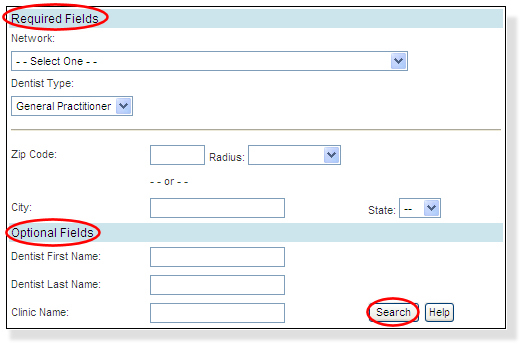
You can search for participating dentists in your area by Zip Code or City and State.
To start your search:
From the menu, click the Dentist Search link. A separate browser window will open with the Dentist Search application displayed.
Starting with the Required Fields, choose a Network and Dentist Type.
Enter a Zip Code (you can also choose a Radius, but it's not required), or a City and State. You can also refine your search by entering the Dentist First Name/Last Name, and/or the Clinic Name in the Optional Fields section.
When you've entered your search criteria, click Search.